

In short
Turn on Projects in QuickBooks Online, create one project per property, and assign every transaction to it. Track rehab phases with Products and Services, from soft costs to final conditions. The profitability report then shows income, cost and profit per project, ready for your lender and your CPA.
"Organizing rehab expenses by phase helps you stay on budget, improve profitability, and prepare for tax season." - Jake Baker
Introduction
The financial side of a flip or a BRRRR project is where a lot of money quietly leaks. QuickBooks Online has a Projects portal built for exactly this: tracking income and expenses per property, phase by phase. Here is how to set it up and use it.
Why use the Projects portal in QuickBooks Online?
The Projects portal is designed to track profitability for a specific job, which is what a property rehab is.
- Track income and expenses for each property: labor, materials, holding costs, all in one place.
- Monitor progress with real-time cost and profit figures per project.
- Simplify tax prep with reports your CPA can file from.
- Cut the manual work of tracking rehabs in a spreadsheet.
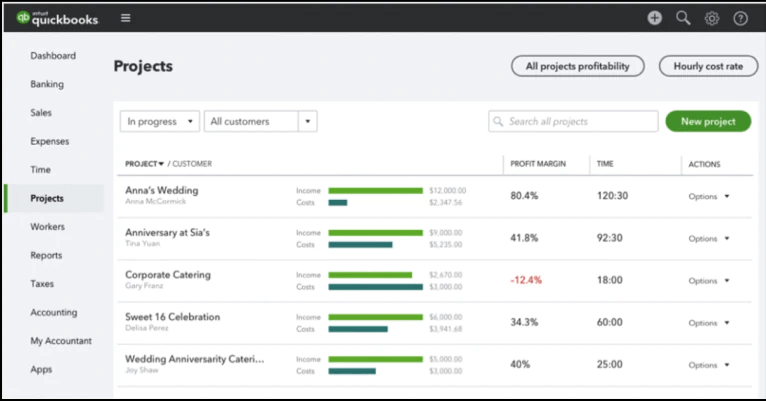
How to set up and use the Projects portal
1. Turn Projects on
- Go to Settings, then Account and Settings, then the Advanced tab.
- Under Projects, turn the feature on.
2. Create a project for the property
- Open the Projects menu and click New Project.
- Name it after the property, for example 123 Elm Street Rehab, and assign it to a customer or the property.
- From now on every transaction for that property links to it.
3. Categorize income and expenses
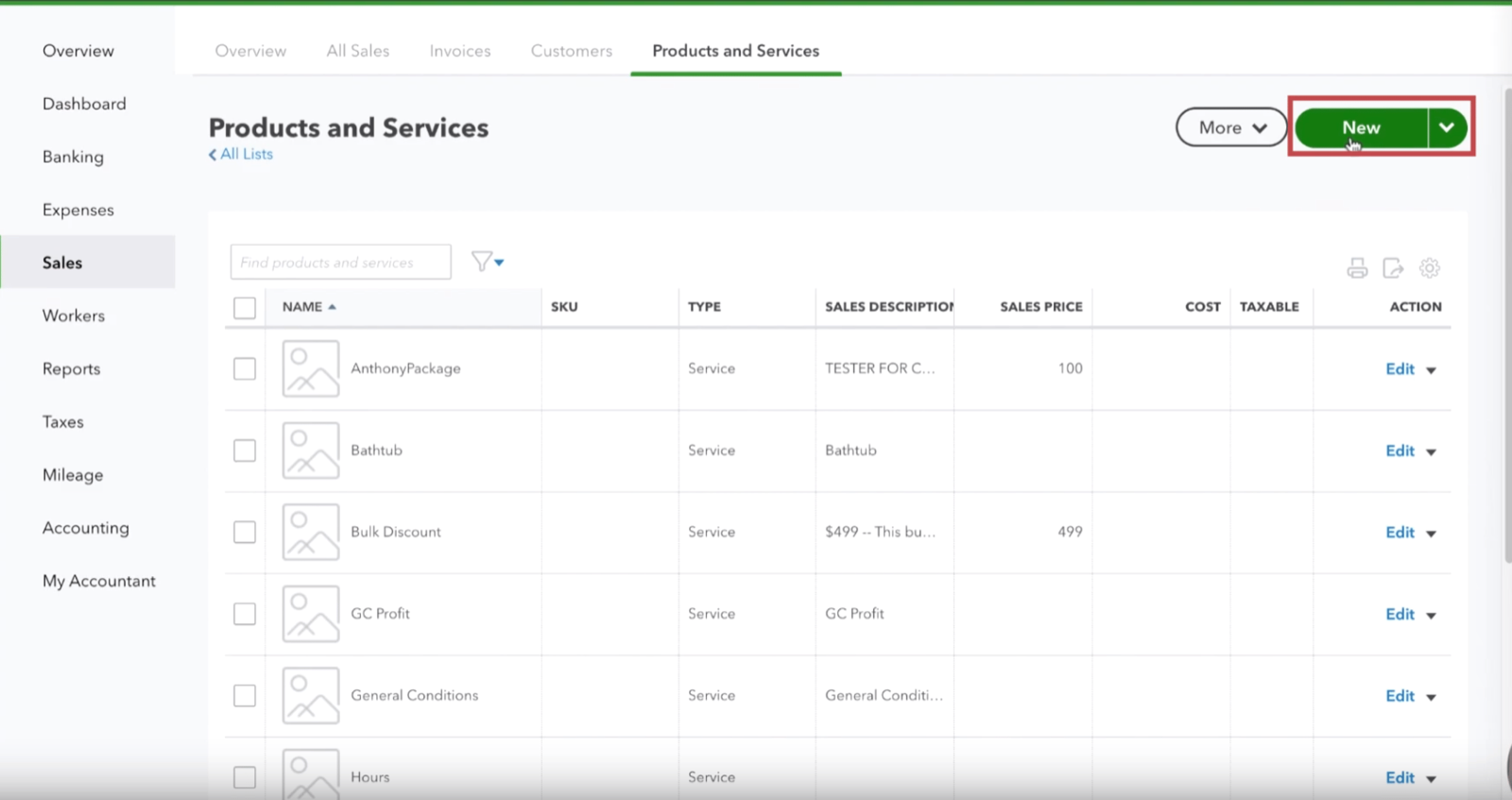
- Use Products and Services to set up a category for each rehab phase.
- As you record transactions, assign each one to the project and the phase.
- Link every expense, invoice and payment to the project, so nothing is missing at the end.
Tracking rehab phases with Products and Services
Products and Services let you track costs by phase. The phases we use:
- Soft costs: permits, architectural fees, design.
- Site: prep, clearing, excavation, dumpsters.
- Yard: landscaping, fencing, tree removal.
- Exterior: roof, siding, windows, doors, paint.
- Rough: framing and structural work, lumber and labor.
- Systems: electrical, plumbing, HVAC.
- Interior: drywall, flooring, paint, cabinetry.
- Final conditions: cleaning, staging, the last touch-ups.
- General: overhead and costs that do not fit a phase.
This level of detail is how you spot an overrun while there is still time to do something about it.
Monitor performance with profitability reports
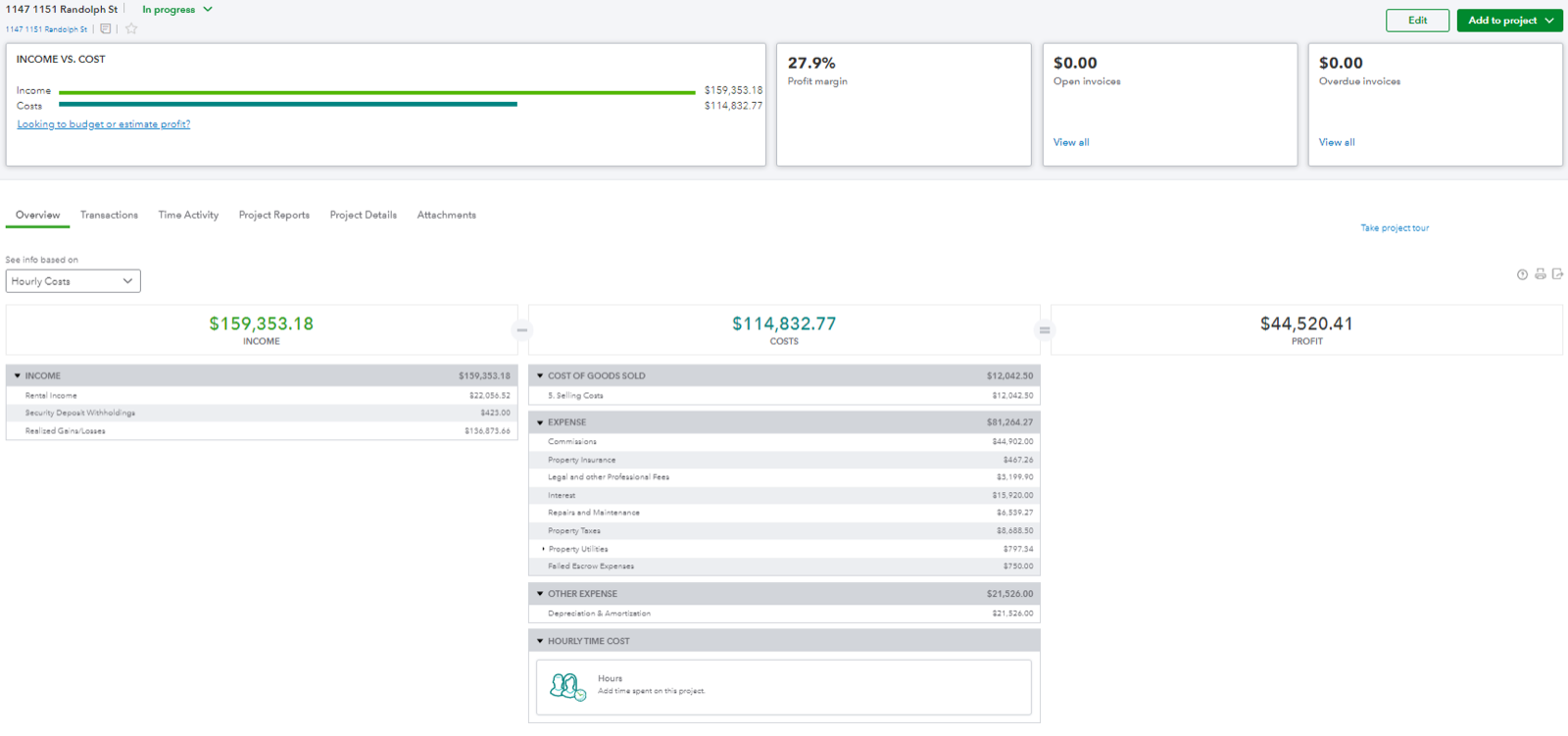
The Projects portal builds a profitability report for each project:
- Total income, such as sale proceeds or the refinance proceeds on a BRRRR.
- Total costs: materials, labor, holding costs.
- Net profit or loss.
Use it to compare estimated and actual costs, find where to cut, and share the numbers with a partner or a private lender.
How we use it in our business
For our flipping and BRRRR projects, around ten a year, QuickBooks Online is set up like this:
- Classes: a separate profit and loss for each property.
- Products and Services: every rehab phase categorized, so costs are tracked precisely.
- The Projects portal: every transaction linked to its property, with the profitability report always current.
Every dollar spent is accounted for, and my CPA has what he needs at year-end. We set our clients up the same way during onboarding.
Key takeaways
- One project per property, every transaction assigned to it.
- Track by phase with Products and Services, so an overrun shows up early.
- The profitability report is the document your lender, your partner and your CPA all want.
Written by Jake Baker, founder of BookkeepingRE. Bookkeeping for real estate investors, from the first rental to a hundred doors. Book a Discovery Call or read more from TheLedger.